
AI Expand Image
Use AI outpainting to extend your image beyond the original frame while keeping subjects, lighting, and style intact. Perfect for banners, thumbnails, and social crops when you need more breathing room without stretching or cloning artifacts.
Generation Settings
Choose Image
Supports JPG / PNG / WEBP
Generated Result
Popular Tools
AI Expand Image Usage
Expand your canvas in three quick steps. Use our ai expand image tool to go from tight crop to wide canvas in moments.
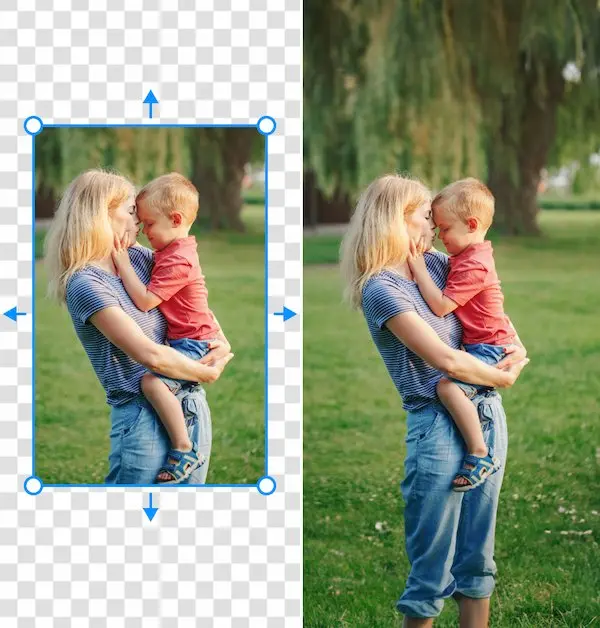
What Is AI Expand Image & Outpainting
AI expand image is a smart way to grow the canvas of any photo without stretching or blurring it. Our online ai image expander studies the scene, predicts what should appear beyond the current frame, and then uses outpainting ai to generate new background that blends in naturally. Instead of reshooting or redesigning, you simply drop in your picture, let expand image ai handle the heavy lifting, and instantly get a wider, print-ready composition.
- Intelligent Canvas ExpansionExtend borders in any direction with ai expand image while keeping subjects sharp and centered. The tool reads lighting, depth, and texture so that every pixel of the new area feels like it was captured in the original shot.
- Perfect for Any ChannelQuickly adapt one photo for stories, feeds, ads, print, or banners using ai expand image and expand image ai. Generate extra background, sky, or room around your subject so each platform gets the ideal aspect ratio without messy cropping.
- Creative Outpainting EffectsUse outpainting ai to continue scenery, extend props, or add subtle new details at the edge of the frame. With image to image ai guidance, your extended photo stays faithful to the original style and mood. This way, ai expand image can stretch your scene naturally without breaking the composition.
AI Expand Image Use Cases
From social posts to ecommerce and large-format print, ai expand image turns a single asset into dozens of perfectly sized visuals. Marketers, designers, and creators can rely on an ai image expander to repurpose content, fill extra space, and keep every layout on-brand without extra shoots. Teams can lean on ai expand image instead of recreating scenes from scratch.
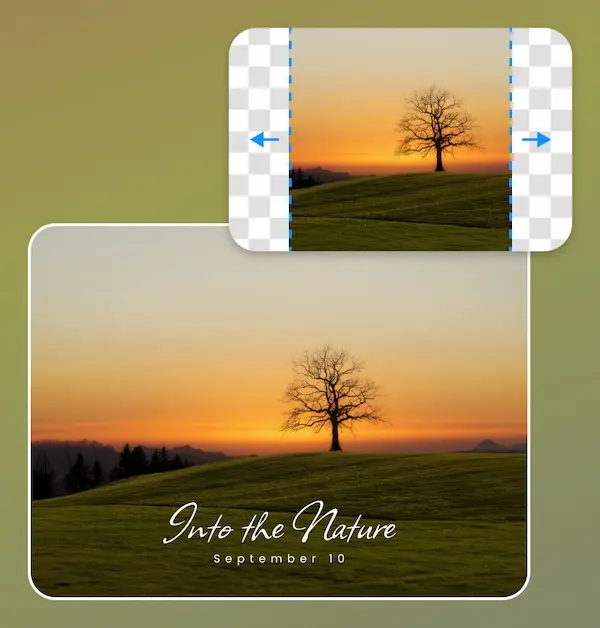
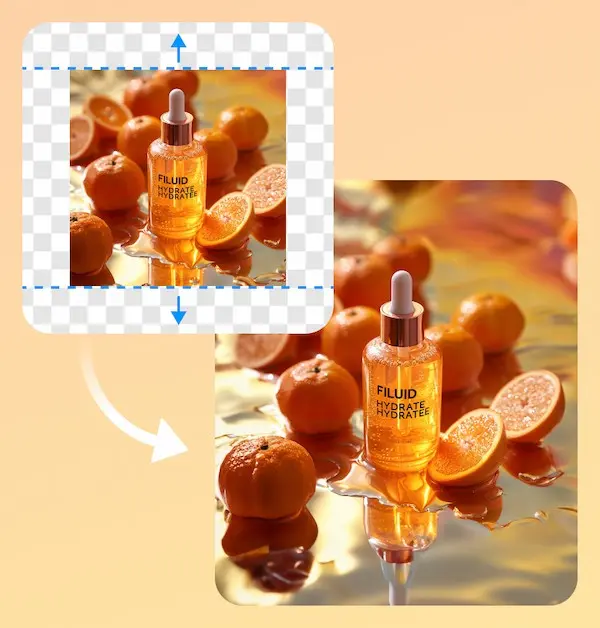
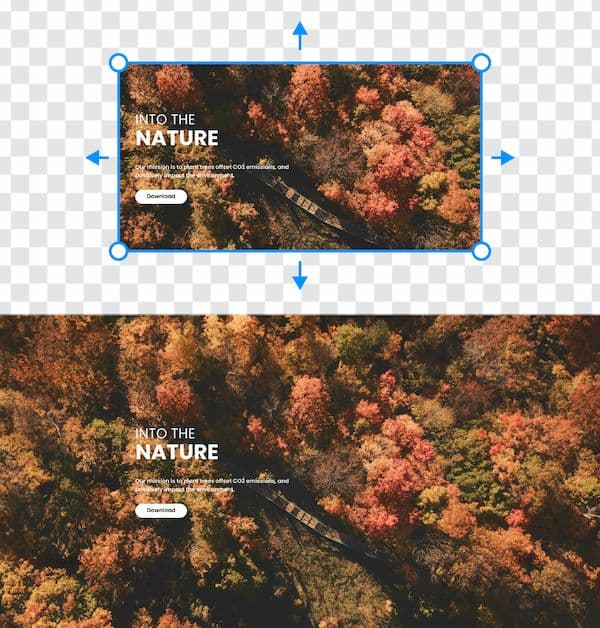
Features of Our AI Expand Image Tool
Our browser-based ai expand image workspace combines simple controls with powerful generative tech. Behind the scenes, an ai image expander analyzes colors, lines, and perspective so outpainting ai can extend your canvas cleanly while image to image ai preserves the look of your original shot. The result is an ai expand image experience that feels natural even for first-time users.
Smart Subject Awareness
The ai expand image engine detects faces, products, and key focal points so they stay crisp and centered. Outpainting ai focuses on filling the background first, preventing warped bodies or duplicated objects.
Consistent Colors and Lighting
Advanced image to image ai matching means the new area inherits the same tones, contrast, and lighting direction as the original scene. Your audience will not notice where the old photo ends and the ai image expander begins. This makes ai expand image ideal for brand systems that demand strict visual consistency.
High-Resolution Output
Generate extended images at sizes ready for social, slides, or print. Ai expand image reconstructs fine details, while outpainting ai adds believable texture so you can confidently crop and resize later.
One-Click Regeneration
Not happy with the first result? Trigger ai outpainting free regeneration to explore multiple variations. Each pass uses expand image ai to suggest new compositions while still respecting your original subject. You can rely on ai expand image to keep fine patterns and edges looking crisp.
Works With Any Style
From portraits and landscapes to flat lays and UI mockups, our ai image expander adapts to many visual styles. Image to image ai keeps grain, blur, and depth of field consistent so the final expanded image feels natural. Whatever you are working on, ai expand image fits smoothly into the process.
Online and Free to Try
Start with ai outpainting free sessions in your browser to test different ideas. When you are ready to scale your workflow, you can use ai expand image on more files without installing heavy desktop software.
AI Expand Image FAQ
What does an AI expand image tool do?
An ai expand image tool increases the canvas size of a photo by generating new pixels around the original content. Instead of stretching, it uses an ai image expander and outpainting ai to analyze what is already in the shot and then extend backgrounds, floors, skies, and other elements so the wider frame looks authentic.
How is outpainting AI different from simple resizing?
Resizing only scales existing pixels, which can lead to blur and distortion. Outpainting ai, powered by image to image ai, actually invents new content beyond the crop based on the structure of your picture. That is why ai expand image can add believable extra room for text, logos, or design elements without hurting quality.
Is this AI outpainting free to use?
You can start with ai outpainting free sessions directly in your browser, with no signup or credit card required. Try a few examples, expand image ai in different directions, and see how the ai image expander fits your workflow before committing to heavier usage. It is a simple way to test ai expand image on real projects without risk.
What kinds of images work best with expand image AI?
Landscape photos, portraits with clear backgrounds, product shots on simple sets, and graphics with open space all work well with expand image ai. The cleaner the edges, the easier it is for outpainting ai to guess what should appear in the extended area and keep the ai expand image result natural.
Can I use the expanded images for commercial projects?
Yes, you can typically use ai expand image results for social content, marketing campaigns, presentations, and many commercial projects. Always double-check the terms of use for the ai image expander you choose, and make sure you own or have rights to the original images you upload.
Does image to image AI change my subject?
By default, image to image ai focuses on preserving the subject and main composition while expanding the surroundings. The ai expand image engine treats faces, logos, and products as priority regions, so outpainting ai mostly affects the borders and background unless you deliberately crop very close to the subject.
Do I need design experience to use an AI image expander?
No, the workflow is designed for anyone who needs quick visuals. You upload, drag to choose how far to expand, and let the ai image expander and expand image ai features suggest a finished result. Designers still get precise control, but beginners can get polished ai expand image results in a few clicks.
How does this compare to other image to image AI tools?
Traditional image to image ai editors often focus on style transfer or filters. An ai expand image and outpainting ai workflow is specialized for adding believable space around your picture. If you mainly need more room for layouts, banners, or print, using ai outpainting free tools will be faster than rebuilding scenes from scratch. For quick layout tweaks, ai outpainting free is often all you need.