
GPT Image 1.5
GPT 1.5 image generation for production-ready visuals: better instruction following, accurate in-image text, brand-friendly styles, and quick refinements.
✨ Advanced image model for production-ready visuals
GPT Image 1.5 Settings
0/5000
Supported: JPEG, PNG, WEBP (max 15MB, up to 4 images)
Generated Result
Reference Images
No reference images selected
Result
Generated image will appear here
Quick Templates









How to use GPT Image 1.5
Start simple, then iterate. gpt image 1.5 works best when you describe the goal, key constraints, and what must not change. If you are using gpt-image-1.5 in an app or a UI, keep prompts specific and use step-by-step edits for best control.
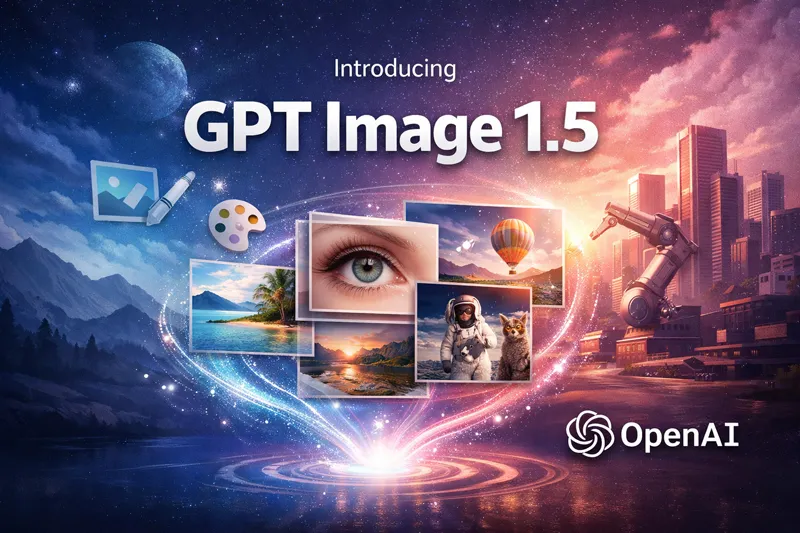
What is GPT Image 1.5
gpt image 1.5 is an OpenAI image model built for both text-to-image and image editing. It follows detailed prompts, keeps scenes grounded, and makes edits that preserve the original look—so you can iterate faster with fewer surprises. Use gpt-image-1.5 for product visuals, marketing creatives, UI mockups, posters, and any workflow where accurate text and consistent details matter.
- Text-to-image that follows your briefDescribe exactly what you need and let gpt image 1.5 handle composition, style, and constraints. When you need a specific layout, gpt 1.5 image generation stays closer to the prompt than older tools.
- Edit an existing image without breaking itUpload an image and say what to change—color, background, object position, or a small detail. With chatgpt image 1.5 style edits, the rest of the scene remains stable, reducing “full re-roll” frustration.
- Readable in-image text for real assetsNeed labels, headlines, UI text, or poster copy inside the image? gpt image 1.5 improves typography rendering so your designs look more production-ready, especially when using chat gpt image 1.5 for quick drafts.
Why GPT Image 1.5
gpt image 1.5 is designed for high-conversion creative workflows: better instruction following, reliable text, and iterative editing consistency. If you’ve tried gpt-image-1.5 or chatgpt image 1.5, you’ll notice fewer re-prompts and faster “good enough to ship” outputs.
Stronger prompt understanding
gpt image 1.5 handles multi-step constraints (subjects, props, lighting, camera, mood) with clearer alignment. This helps when gpt 1.5 image prompts include multiple requirements that must all be correct.
Precision edits with consistency
Edit only what you specify—swap an object, change a shirt color, extend a background—while keeping identity and composition. That’s why many creators prefer gpt-image-1.5 for iterative production work.
Production-grade quality options
Choose the right balance of speed and detail for your use case. With chatgpt image 1.5 you can draft quickly, then use gpt image 1.5 at higher quality for final deliverables.
Flexible styles, consistent branding
From photoreal to illustration, keep a coherent look across a campaign. Many teams use chat gpt image 1.5 to explore directions, then lock a consistent style with gpt image 1.5.
Multiple aspect ratios for every channel
Generate common formats like square, portrait, and landscape to fit feeds, stories, ads, and hero banners. This makes gpt 1.5 image output practical for cross-platform publishing.
Fewer retries, smoother iteration
Because gpt image 1.5 follows instructions better, you spend less time tweaking prompts. Whether you call it gpt-image-1.5 or chatgpt image 1.5, the goal is the same: ship faster with fewer cycles.
Frequently Asked Questions
Quick answers about gpt image 1.5, gpt-image-1.5, and common creation workflows.
What can gpt image 1.5 do?
gpt image 1.5 supports text-to-image generation and image editing. You can create new visuals from prompts or upload an image and request precise changes while keeping the rest consistent.
Is gpt-image-1.5 the same as gpt image 1.5?
Yes—gpt-image-1.5 is commonly used as the model identifier, while gpt image 1.5 is the product-style name. Both refer to the same capability set.
How is chatgpt image 1.5 different from older image tools?
chatgpt image 1.5 generally follows instructions more closely and improves in-image text rendering. It also supports more consistent multi-step editing, so you can iterate without losing important details.
What should I include in a gpt 1.5 image prompt?
Include the goal (what the image is for), the subject and environment, the style, and any constraints. If you need text inside the image, provide exact wording and where it should appear.
Can chat gpt image 1.5 help with marketing and product content?
Yes. Many teams use chat gpt image 1.5 for fast concepting, ad variations, product scene mockups, and social creatives. When you need the final asset, you can regenerate with gpt image 1.5 at higher quality.
Any tips to get better results with gpt image 1.5?
Be specific, keep requirements in a short checklist, and iterate with small edits. For gpt-image-1.5, avoid changing too many variables at once—make one adjustment, review, then refine.