
AI Fat Filter
Use this ai fat filter to instantly turn any selfie into a fuller, chubbier version using safe, reversible image to image ai—perfect when you search for a playful "make me fat ai" experience.
Choose images
Upload up to 4 reference images
Quick Templates









Popular Tools
AI Fat Filter Usage
Use this ai fat filter to create a fuller look in four quick, simple steps.

What is AI Fat Filter
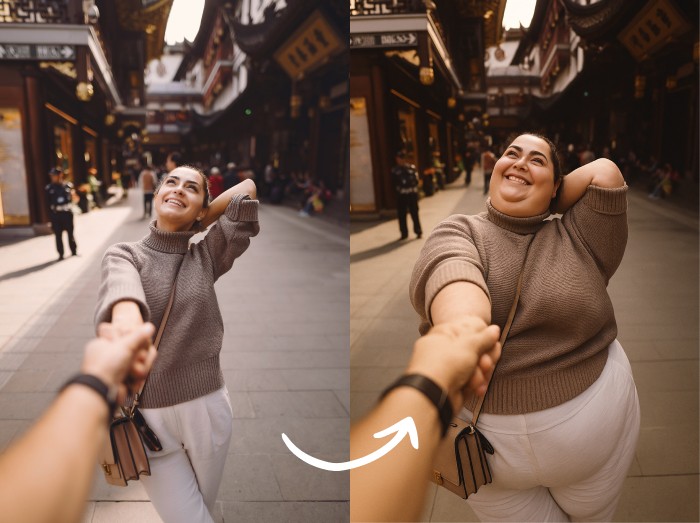
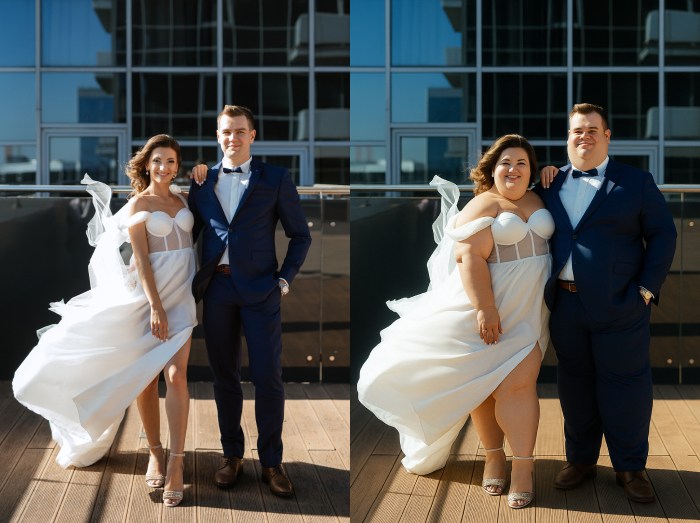
AI Fat Filter is an online image to image ai tool that adds realistic fullness to faces and bodies in photos while keeping your identity and style intact. Instead of extreme or mocking edits, this ai fattifier focuses on soft, natural changes so you can explore a different look, test characters, or satisfy curiosity in a body-positive way.
- Playful, realistic transformationsUpload a clear photo and let the ai fat filter gently round cheeks, waistlines, or limbs for a believable "make me fat ai" transformation that still looks like you.
- Body-positive by designThe ai fattifier is built for fun, cosplay, and storytelling—not shaming. It encourages respectful, consent-based use when you make someone fat in a photo.
- Fast image to image ai workflowEverything runs in your browser with quick image to image ai processing, so you can preview several fuller versions in seconds and pick your favorite.
AI Fat Filter Use Cases
From curious selfies to character design, the ai fat filter gives you a safe way to experiment with size, shape, and style. Use it as a make me fat ai playground, a creative ai fattifier for memes, or a gentle visual aid for wellness and costume planning.
AI Fat Filter Features
Every part of this ai fat filter is tuned to be simple, realistic, and kind. Under the hood, powerful image to image ai models reshape bodies and faces while preserving identity, style, and lighting.
Face and body aware editing
Advanced detection maps faces, torsos, arms, and legs so the ai fat filter adds volume where it naturally belongs, instead of stretching or warping the whole image.
High-quality image to image ai
Our image to image ai pipeline keeps skin texture, shadows, and clothing details sharp so your ai fattifier results look like real photos, not low-res filters.
Works on selfies, groups, and art
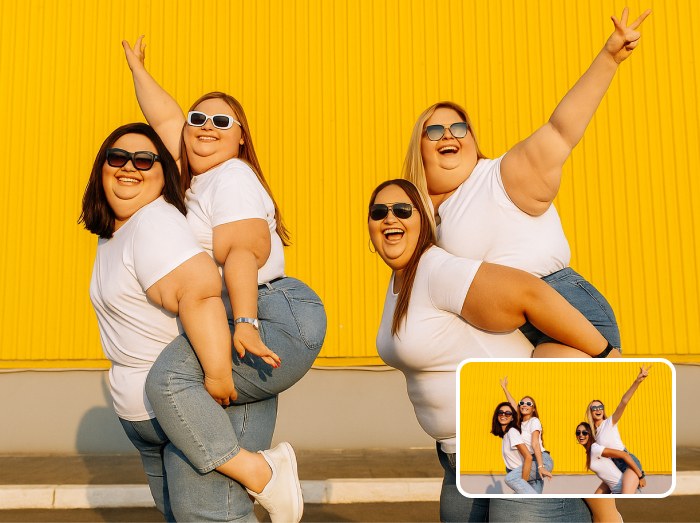
Whether you edit a solo selfie, make someone fat in a photo with friends, or transform digital art, the model adapts to faces, angles, and compositions automatically.
HD downloads for sharing
Export high-resolution results that are ready for social posts, private chats, or mood boards without needing extra upscaling tools.
Respectful safety guidelines
Built-in tips remind you to use this ai fattifier responsibly, avoid bullying, and always get consent before you make someone fat in a photo.
Browser-based, no install needed
Run the ai fat filter directly in your browser from any modern device—no apps, no plugins, just quick, accessible image to image ai editing.
AI Fat Filter FAQ
What is an ai fat filter and how does it work?
An ai fat filter is a type of image to image ai that takes an existing photo and adds realistic fullness to the body and face. It analyzes facial landmarks, body outlines, and lighting, then redraws your image with extra volume while keeping your features recognizable.
Can I use this as a "make me fat ai" tool?
Yes. If you are curious how a fuller version of yourself might look, you can upload a photo and treat this as a make me fat ai experience. It is meant for fun visualization only and should never replace health, fitness, or medical advice.
Is it okay to make someone fat in a photo?
Only if they are comfortable with it. Always ask before you make someone fat in a photo, and avoid using the ai fat filter to mock or embarrass anyone. We encourage kind, consent-based use for jokes, parties, and creative projects.
What does ai fattifier mean here?
In this context, ai fattifier simply describes the smart editing engine behind the tool. It is the part of the system that analyzes your picture and applies the fuller, rounder effect while preserving skin texture, clothing details, and background.
Can I use it on group photos or art?
Yes. The ai fat filter can detect multiple faces and bodies, so you can transform whole groups at once if everyone agrees. You can also send stylized portraits, sketches, or digital art through the ai fattifier to explore chubbier character designs.
Which photos give the best results?
Use sharp, front-facing photos where faces and bodies are clearly visible and well lit. The better the original input, the more natural your make me fat ai result will appear.